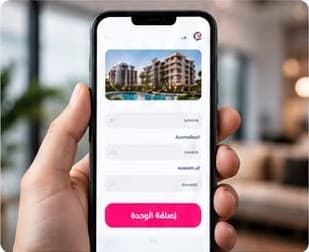
Three request types and three clear phases on Aqar Forsah
1Add your unitAdd your unit’s details and photos, and documents if you have them
2Review and approvalHuman review of the data, documents and financial result
3Confirm and publishYou confirm your details after the review, then the team decides on publishing
What are you selling? Choose your request type
Exit opportunity
You contracted a unit with the developer, are still paying for it, and want to sell it or transfer the contract.
Unit and contract details
Price, amount paid and remaining installments
Unit photos
New unit
You have a new unit for sale from a developer or an approved seller, in cash or with payment plans.
Unit details and location
Total price
One or more payment plans
Project opportunity
You have land, a residential or commercial project, or a complete investment opportunity.
Type and main details
Price and location
Photos, and documents if you have them
Documents only if you have them; the team asks for anything missing.
Each phase in detail
1Submit your request
Step 1
Choose your request type
From “Start a sell request”, choose an Exit opportunity, a New unit or a Project opportunity. Start as a guest or with your account.
Three clear types
Guest or member
One request per unit or plot
Step 2
Add the details and photos
Fill in the details in three short steps and add clear photos. Documents only if you have them; the team asks for anything missing.
Three short steps
Documents are optional
Documents stay private, never published
2Review and approval
Step 3
Our team reviews your request
The Aqar Forsah team reviews every request itself and contacts you with exactly what it needs.
Human review
Clear correction requests
Follow the status in “My requests”
Step 4
Price and details are verified
Price, payments, location and documents are checked before anything is published. For Exit opportunities the published Exit amount is set after review, never typed by the seller.
Price and payments reviewed
Documents verified
No figures without review
3Confirm and publish
Step 5
We confirm the details with you
If the team changed or added anything, you confirm the final version before it is published.
A clear final version
Your confirmation first
Re-review after any change
Step 6
Published in the marketplace
The team publishes the listing after review and can pause it at once if anything needs correcting.